
Welcome to the Dev Team!
Now that you’re a developer, I'm sure the first thing you want to know is how you can upload your set and what other privileges are now open to you. You'll have plenty of fancy new features on the website, emulator, and Discord server, which we will go over here.
Joining the team comes with new responsibilities and inactivity criteria so please take the time to review the Developers Code of Conduct before continuing.
Set Management
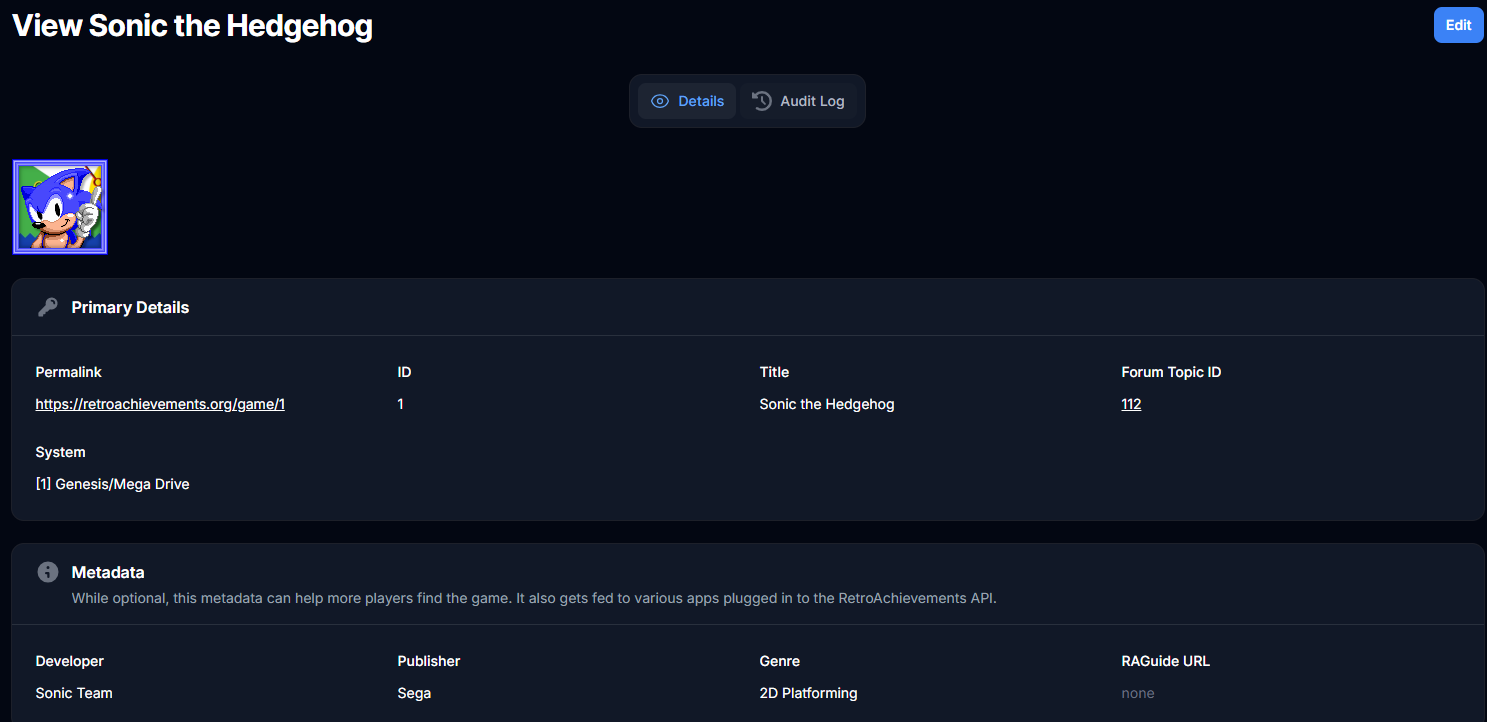
The web team is working on a new Management page which is where all dev related activities will end up being moved to. It can be accessed through the “Manage” button right above the Dev dropdown menu.
This page is used for editing release dates as well as drag-and-drop reordering.
Uploading your First Set!
The quickest and easiest way to upload your first set is through the management page of your set. From there you can mark the achievements you want to promote and then click “Promote selected” to promote them all in a few clicks!
To get to this page, go to your game’s page:
- Click on Manage
- Scroll down until you see the list of achievements
- If you’d like, you can reorder them by clicking the Start Reordering button and then dragging-and-dropping the achievements
- Check the achievements you’d like to promote (Be careful to exclude any unwanted or voided achievements if there are any, otherwise just hit “All”)
- Click Bulk promote or demote
- Click Promote selected

Achievement-News Announcement
Now that your set is live, it is time to announce it to everyone if you are on Discord!
We have a handy bot command that you can use to auto generate a template as long as your set is in core. Go to #bot-spam and type in “!gan [gameid]” where [gameid] is the id of your game.
The pinned messages in #devs-chat have an alternate colored template that can be used as well.
You can copy the results, replace the @{AUTHOR_NAME} with your name, and post it in the #achievement-news channel with an @Achievement-News ping to get everyone's attention on the hottest set that just dropped on RA.
Claims
Now that you are a developer, the claim limit has expanded to a total of 4 concurrent regular claims. As long as you have no active tickets, you are free to claim sets. For more specific details look over the claims section of the Developer Guidelines.
If the game does not yet have a page, see Creating Game Pages and Linking Hashes for guidance.
Set Revisions
Achievement set revisions are an important part in keeping older sets up-to-date with modern standards. This is your chance to ensure that quality is maintained on the site. Votes are done through the #revision-voting and #revision-discussion channels of the Discord server. You will be given the @Revision-Voting and @Rescore roles by default upon graduation.
When considering whether to vote to approve a revision proposal, please familiarize yourself with the revision goal criteria outlined in the discussion forum pinned post. The goal of a revision is to turn a lacking set into a high-quality, modern set that ideally will never need another revision. Voting in revision proposals is an important responsibility that all developers should take seriously and participate in for the long-term health of the RetroAchievements project.
When proposing a revision, it requires contacting all active authors of the relevant set. If you wish to Opt-Out of being contacted, use this form.
For details on how to propose a revision, see Achievement Set Revisions
If you are considering requesting a re-author of the set, contact DevCompliance for approval. The re-author request should not be included in the revision proposal.
If you want to transfer over the earners for some/all of the previous achievements then you will need to reach out to RAdmin or #cleanup-admin on Discord for assistance.
The request would include the Game and a full list of achievement transfers in Old ID -> New ID format
Example:
https://retroachievements.org/game/990
Transfer earners for Game 990:
11702 -> 175183
11709 -> 175184
And so on...
Emulator Updates
You will now have a few new privileges in the RA emulators to take advantage of.
Creating Game Pages and Linking Hashes
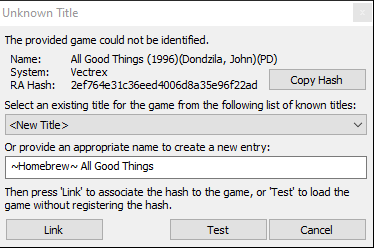
The biggest new privilege is that you can now link new hashes to games by loading the game in an RA emulator and linking it.
If creating a new page, select "New Title" and write an appropriate name in the text box. Check if there are any junk pages labeled "~Z~ No Hash" which can be recycled.
INFO
Further reading:
Code Notes
You are now able to overwrite and delete any existing code notes. Be careful not to overwrite other’s notes without reason, if you are making improvements or correcting a note that is an acceptable reason.
Achievements
Developers can directly publish changes to achievements in Core without needing to demote to Unofficial.
You can now freely promote and demote any achievements from Unofficial and Core through the emulator but it is much easier to do this through the site.
Site Updates
You now have access to many more tools on the site to help you as a developer.
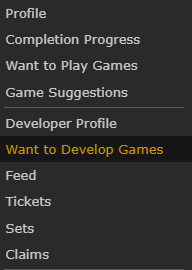
Want to Develop Games
Developers have the ability to add games to a Want to Develop list. Sets can be added through the Dev dropdown box on the game page.
Game Page
Creating Forum Topics
When you go to claim a set, you no longer need to create a forum topic separately. The Make Claim button will automatically create a forum topic for you if one does not exist.
Keep in mind that you should NOT create forum topics without a valid reason, such as claiming a set. Otherwise, you will be the only person (besides admins) who can edit the top post, which is usually where important information such as supported game files or set notes is placed.
Dev Menu
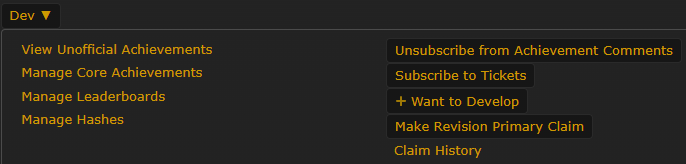
You now have full access to the Dev dropdown menu.
Manage Core/Unofficial Achievements: Promotion/demotion, typing, and ordering of achievements.
Manage Leaderboards: Resetting entries, ordering, and deletion of leaderboards
- Please read Editing Leaderboards before making edits or resetting entries for leaderboards that are not your own.
Manage Hashes: Editing hash labels, Editing RAPatches URLs, and unlinking hashes
Subscribe to Tickets: Useful if you decide to work on inactive developer sets and want to track any future tickets
Want to Develop: Adds/Removes the game on your Want to Develop list
Adding Hubs and Related Games
Hubs and related games can be added to game pages by entering the page IDs and clicking “Add”. Hubs managed by the DevCompliance, QA, and Art teams should not be added/removed, send a message to the corresponding team instead.

Discord Channels
You will now have access to a handful of new Discord channels
#developer-news
#devs-chat
#devs-help
#ticket-discussion
#ratools
#revision-voting
#revision-discussion
Developer Events!
There are a few events limited to developers, each with their own Discord channel:
DevJam: Releasing sets for systems that didn’t get rollouts
Beaten Into Completion: Adding progression achievements to sets that are missing Beat criteria
House Cleaning: Resolving or closing inactive dev tickets